> ## Documentation Index
> Fetch the complete documentation index at: https://help-loyalife.xoxoday.com/llms.txt
> Use this file to discover all available pages before exploring further.
# Dashboard
> Take a tour of the Loyalife dashboard and the key program metrics it surfaces at a glance.
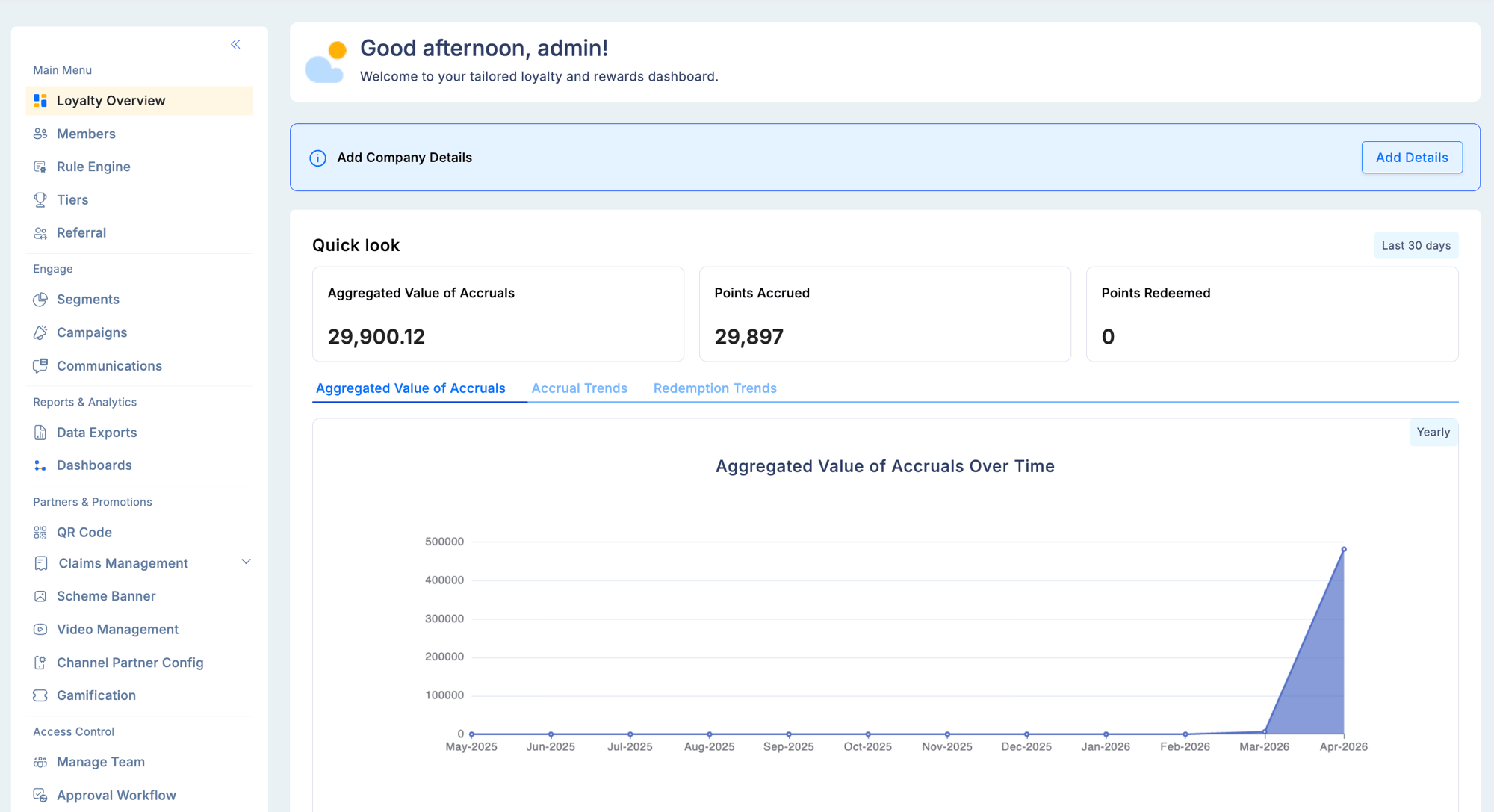
The Loyalife dashboard gives you a snapshot of your loyalty program's performance over the past 30 days — including accruals, redemptions, and member participation. It is the first screen you see after logging in.
## Dashboard sections
### Quick look
Displays 30-day performance metrics alongside annual graphs that visualize:
* **Accrual trends** — total points earned over time
* **Point volumes** — aggregate value of points in circulation
* **Redemption patterns** — how and when members are spending points
Use the annual view to spot seasonal engagement patterns and evaluate the impact of campaigns or promotions.
 ### Member insights
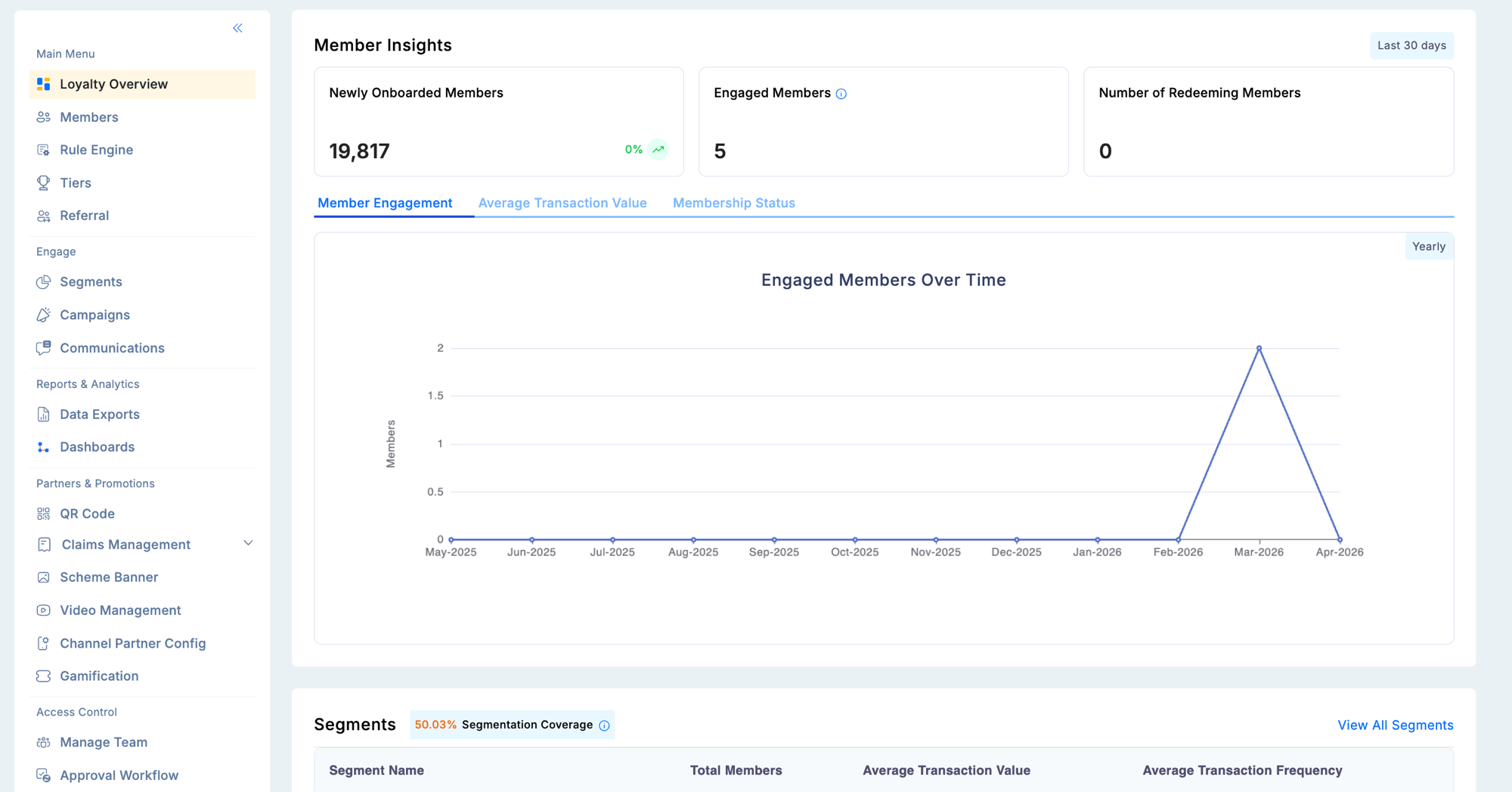
Tracks the health and activity of your member base:
| Metric | What it shows |
| ------------------- | ------------------------------------------- |
| New members | Members who enrolled in the selected period |
| Active participants | Members who transacted at least once |
| Redemption activity | Members who redeemed rewards |
The annual breakdown categorizes members by status: **active**, **blocked**, **suspended**, **inactive**, and **cancelled** — giving you a clear picture of program engagement over time.
### Member insights
Tracks the health and activity of your member base:
| Metric | What it shows |
| ------------------- | ------------------------------------------- |
| New members | Members who enrolled in the selected period |
| Active participants | Members who transacted at least once |
| Redemption activity | Members who redeemed rewards |
The annual breakdown categorizes members by status: **active**, **blocked**, **suspended**, **inactive**, and **cancelled** — giving you a clear picture of program engagement over time.
 ### Segments
Displays your configured member segments alongside key performance data:
* Segment name and member count
* Average transaction value per segment
* Purchase frequency
This panel lets you quickly compare how different segments are engaging with your program without navigating to the Engage module.
### Tiers
Shows the distribution of your member base across tiers:
* Tier name and member count
* Point accrual and redemption per tier
* Members approaching the next tier upgrade
The tier panel is especially useful for identifying members close to an upgrade, enabling timely nudge campaigns through the [Engage](/engage/campaigns) module.
### Segments
Displays your configured member segments alongside key performance data:
* Segment name and member count
* Average transaction value per segment
* Purchase frequency
This panel lets you quickly compare how different segments are engaging with your program without navigating to the Engage module.
### Tiers
Shows the distribution of your member base across tiers:
* Tier name and member count
* Point accrual and redemption per tier
* Members approaching the next tier upgrade
The tier panel is especially useful for identifying members close to an upgrade, enabling timely nudge campaigns through the [Engage](/engage/campaigns) module.
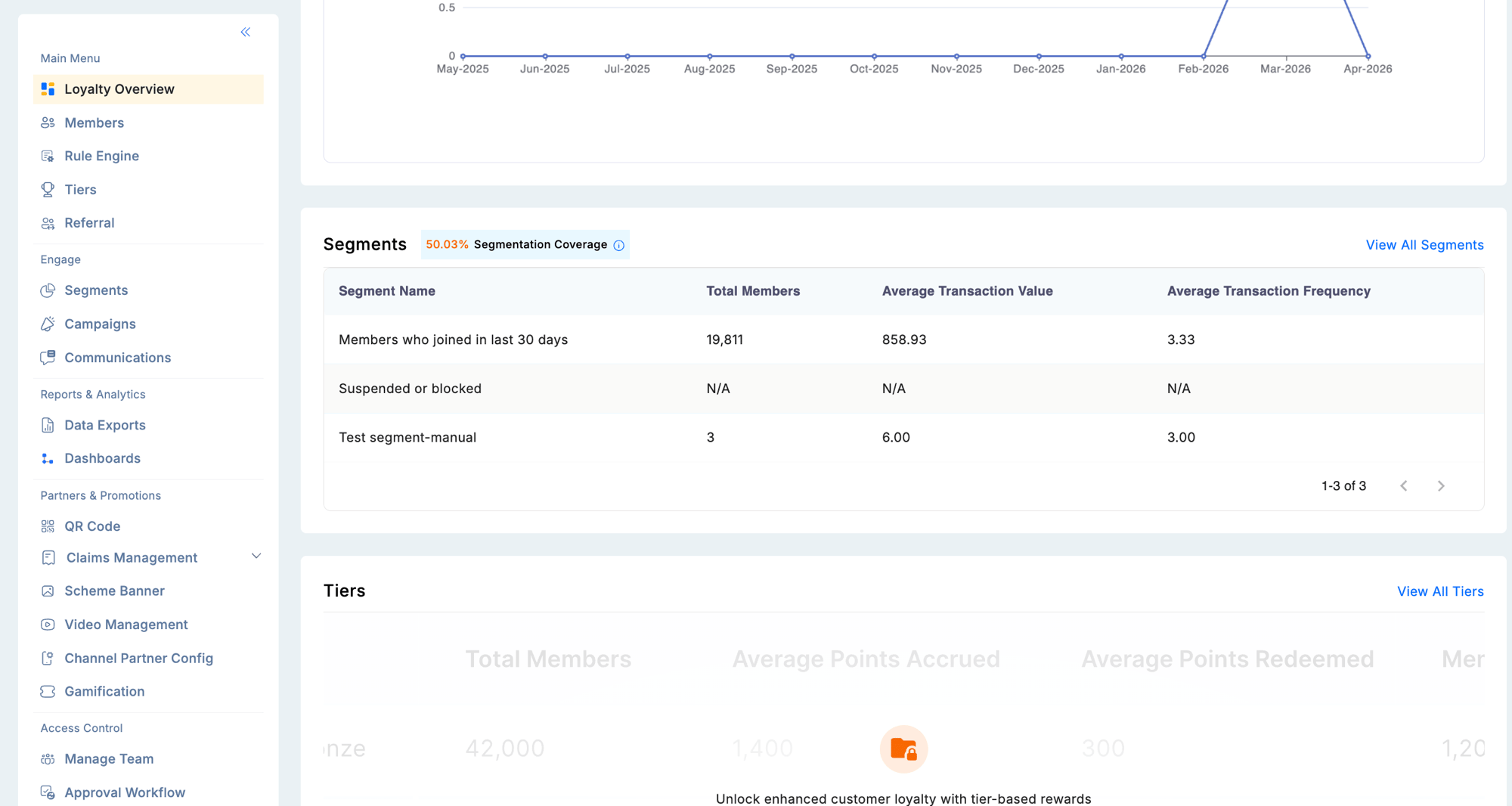 Use the tier upgrade insights on the dashboard to trigger targeted campaigns that encourage members on the threshold to complete a qualifying action and move up a tier.