
Accessing dashboards
Navigate to Reports & Analytics → Dashboards in the left sidebar. Dashboards are listed as cards. Click any card to open the interactive dashboard embedded in the page.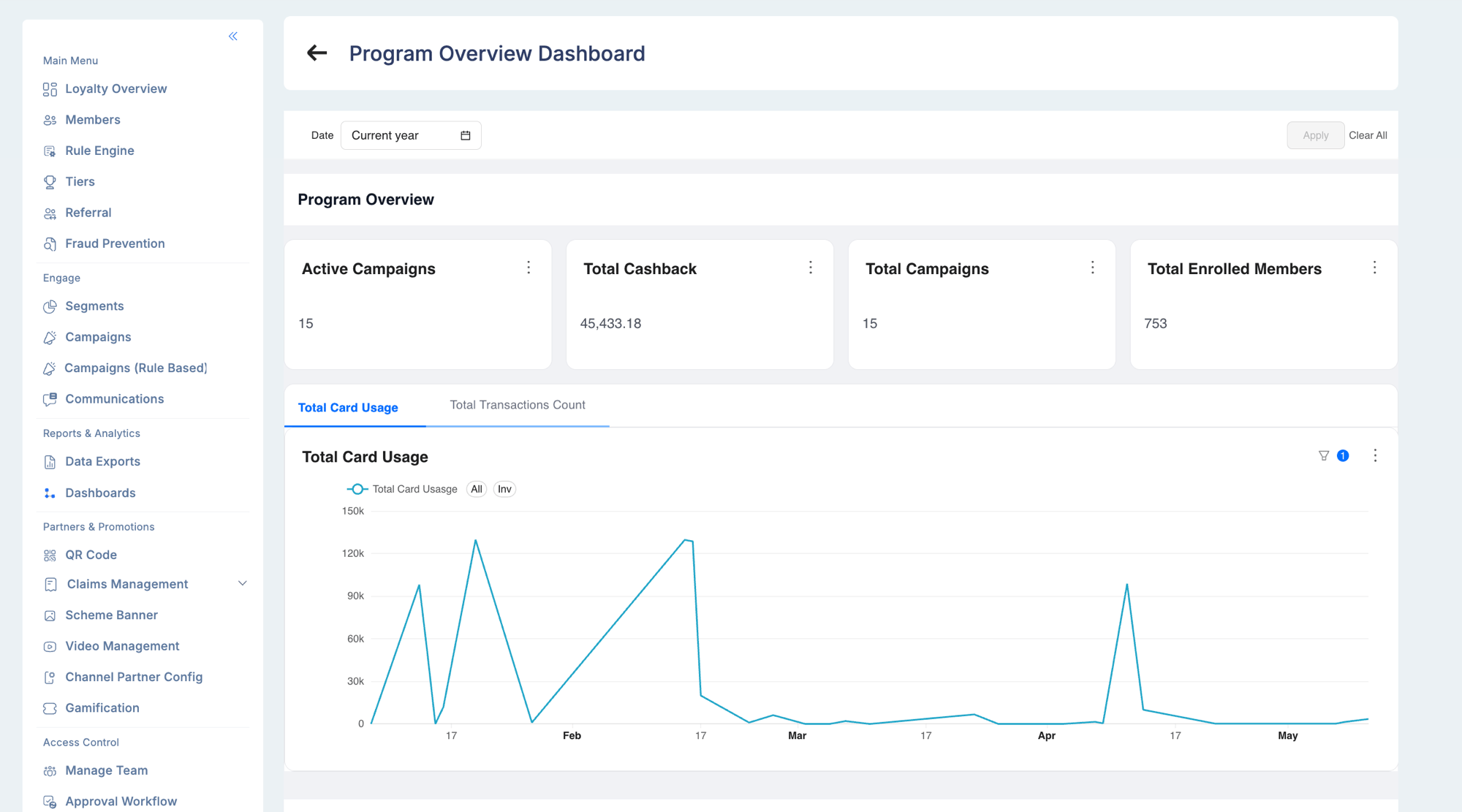
superset permission on a user’s role determines whether the Dashboards menu item is visible. Contact your Loyalife administrator to enable access.
Pinning a dashboard to the overview
Frequently used dashboards can be pinned to the Loyalty Overview home screen so they load immediately when you log in. To pin a dashboard, open it and use the pin option from the dashboard menu.Data sources
Dashboards pull from two pipelines:
Dashboards are automatically filtered to the currently selected program — the program ID is passed at embed time, so you only see data for your program without any manual filtering.
Firebase Analytics pipeline
Firebase events from all client mobile apps (Android, iOS, Web) flow into a shared BigQuery dataset. A nightly pipeline maps each app (bundle_id + platform) to its Loyalife program and writes results to the analytics database Superset queries.
The pipeline supports:
- Per-program breakdown — data is separated by bundle ID and platform
- Gap recovery — if a day is missed, the pipeline automatically backfills all missing dates on the next run
- Manual backfill — administrators can trigger a backfill for a specific date without disrupting the regular schedule
Available dashboards
Mobile app usage
Available per program, per platform (Android, iOS, Web), and per time range.
Channel partner dashboards
For programs with channel partners:Program performance
- Points issued vs. redeemed over time
- Member tier distribution
- Redemption category breakdown
- Acquisition source split (referral vs. organic)
Interacting with dashboards
Filters
Every dashboard includes a filter bar. Common filters:
Click Apply filters after making selections. Filters persist within your session.
Drill-down
Most charts are interactive — click a bar, segment, or data point to drill into detail. For example, clicking a country on the DAU map opens a city-level breakdown.Exporting data
- Hover over a chart
- Click the ⋮ menu
- Select Export to CSV or Download PNG
Troubleshooting
Dashboard shows no data for recent days.- The Firebase pipeline runs at 2 AM. Yesterday’s data is available after that run completes.
- If data is missing for more than one day, the pipeline may have failed. Contact your Loyalife administrator to trigger a manual backfill.
- The program may not have Firebase Analytics configured for its app. Confirm with your technical team that
analytics_sync_configincludes the program’s bundle IDs.
- Your role may not have the
supersetpermission. Ask your Loyalife administrator to enable dashboard access for your role.