The Loyalife dashboard gives you a snapshot of your loyalty program’s performance over the past 30 days — including accruals, redemptions, and member participation. It is the first screen you see after logging in.
Dashboard sections
Quick look
Displays 30-day performance metrics alongside annual graphs that visualize:
- Accrual trends — total points earned over time
- Point volumes — aggregate value of points in circulation
- Redemption patterns — how and when members are spending points
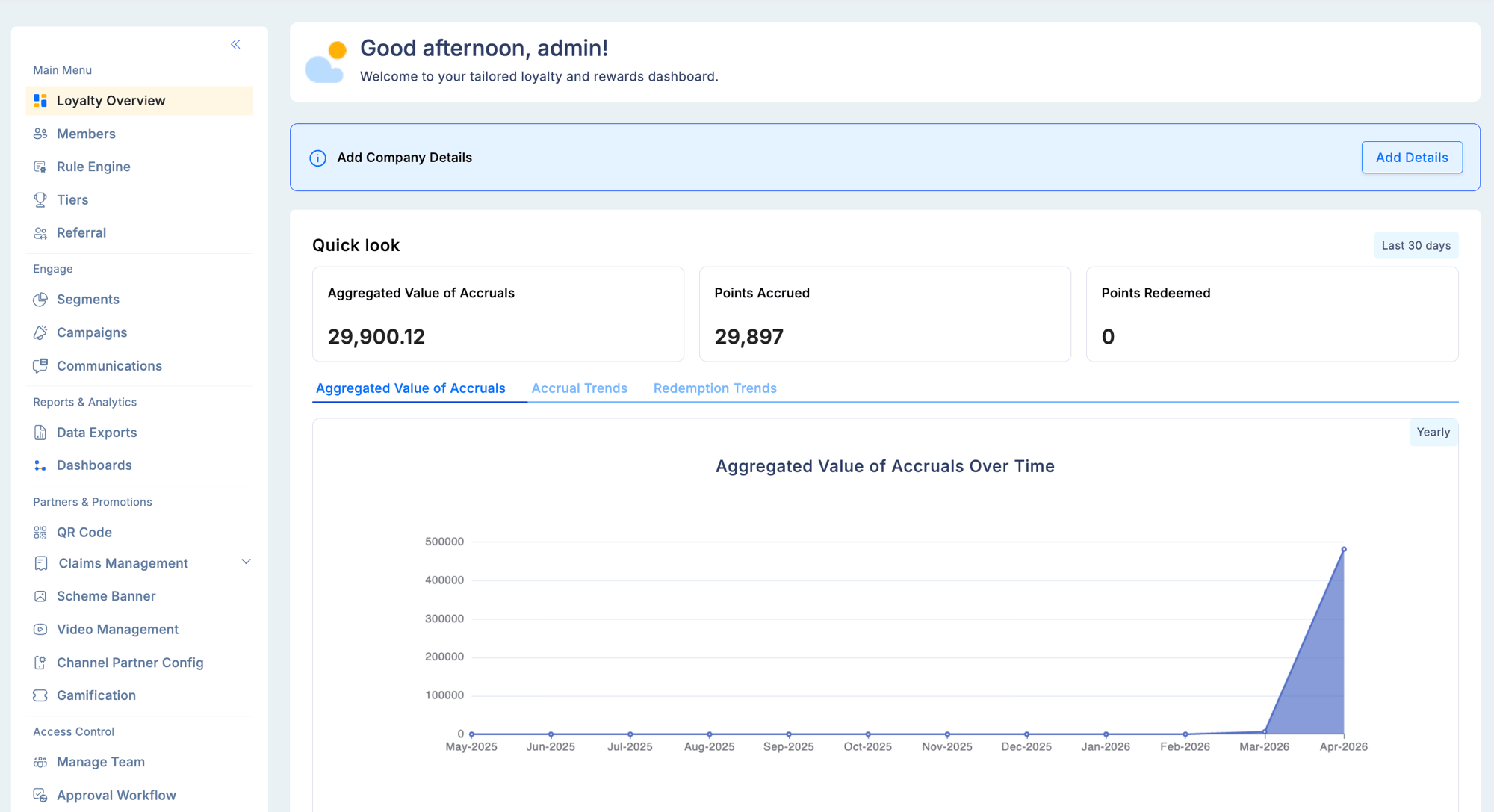
Use the annual view to spot seasonal engagement patterns and evaluate the impact of campaigns or promotions.
Member insights
Tracks the health and activity of your member base:
| Metric | What it shows |
|---|
| New members | Members who enrolled in the selected period |
| Active participants | Members who transacted at least once |
| Redemption activity | Members who redeemed rewards |
The annual breakdown categorizes members by status: active, blocked, suspended, inactive, and cancelled — giving you a clear picture of program engagement over time.
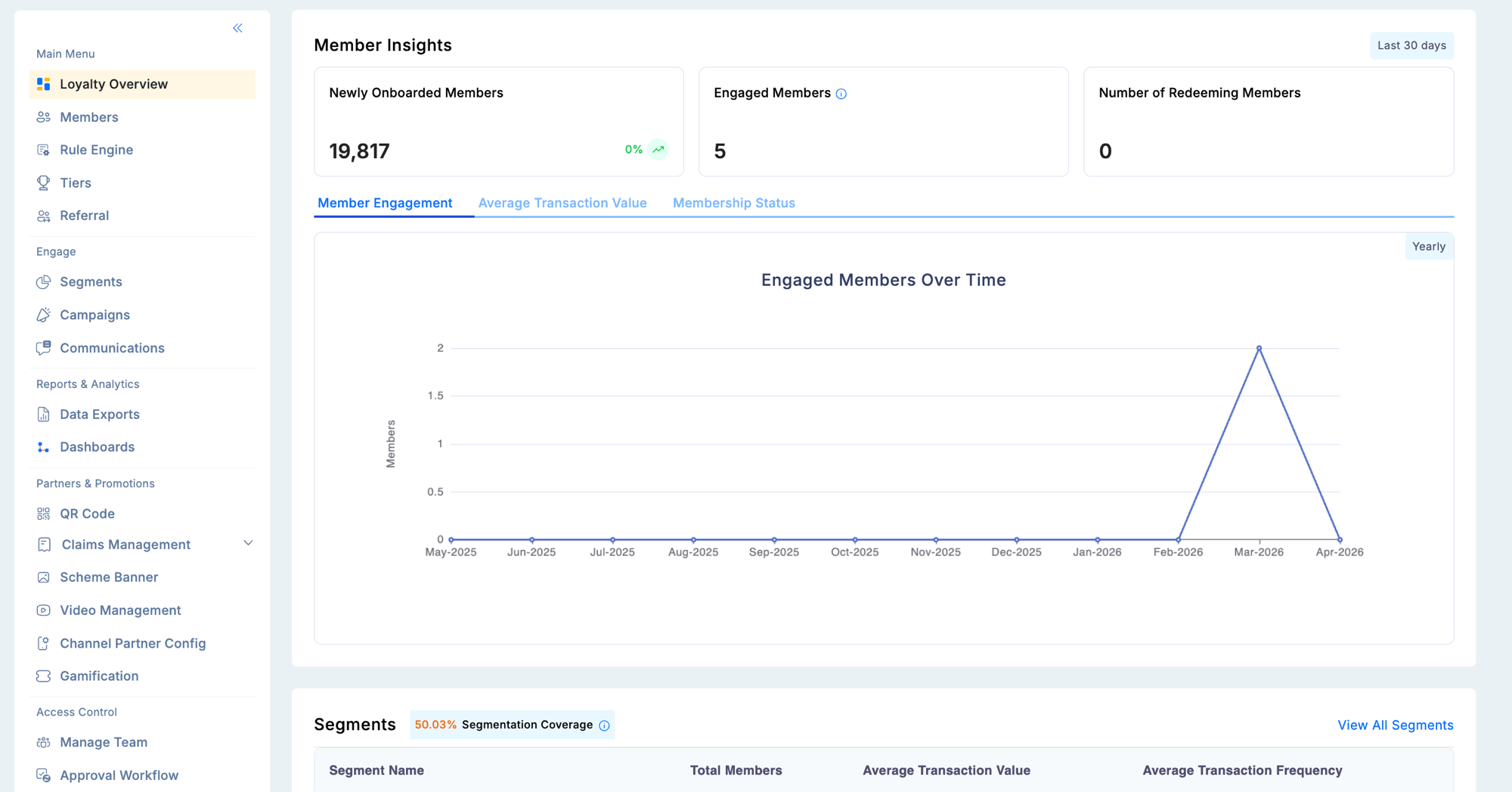
Segments
Displays your configured member segments alongside key performance data:
- Segment name and member count
- Average transaction value per segment
- Purchase frequency
This panel lets you quickly compare how different segments are engaging with your program without navigating to the Engage module.
Tiers
Shows the distribution of your member base across tiers:
- Tier name and member count
- Point accrual and redemption per tier
- Members approaching the next tier upgrade
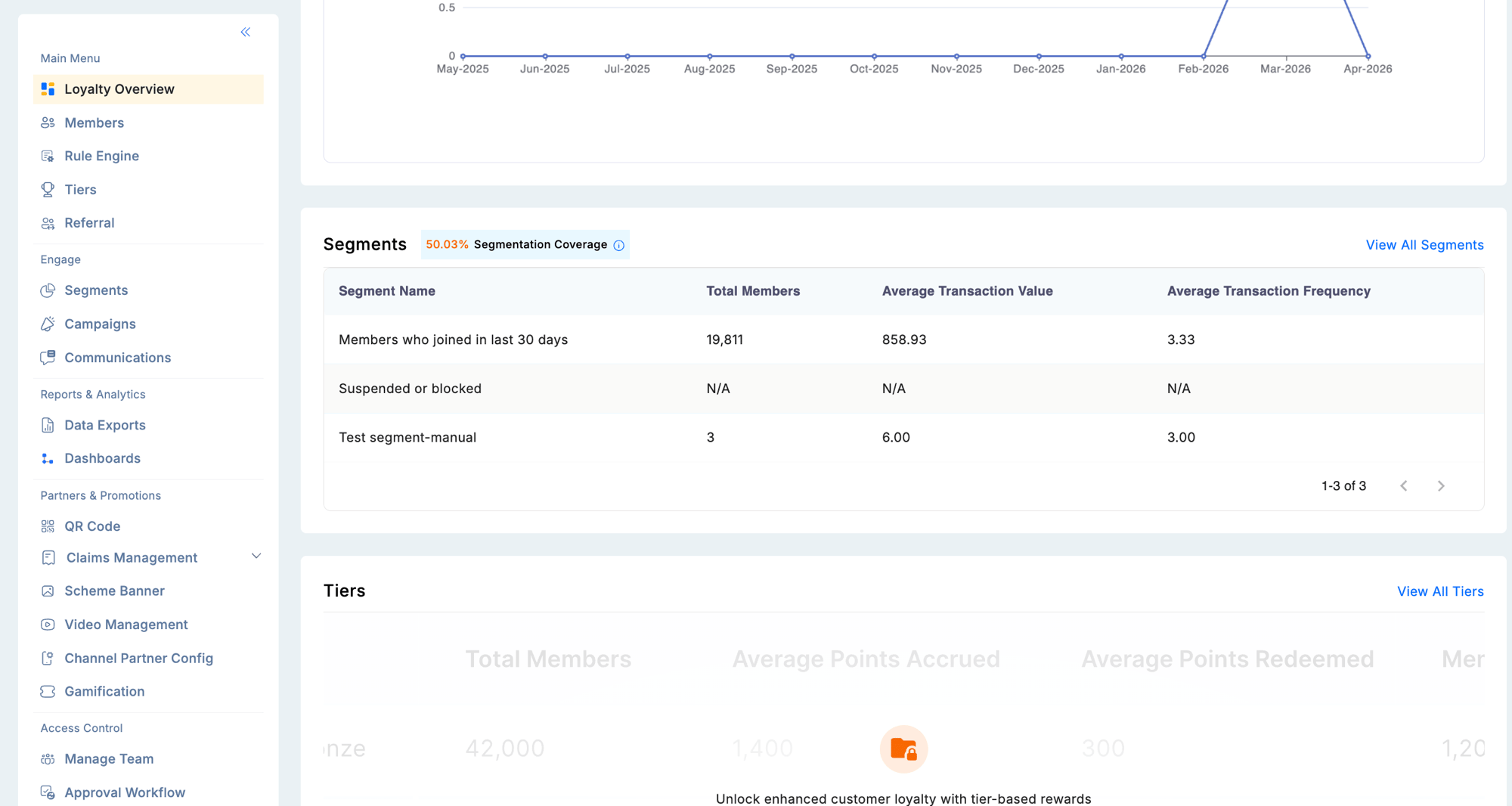
The tier panel is especially useful for identifying members close to an upgrade, enabling timely nudge campaigns through the Engage module.
Use the tier upgrade insights on the dashboard to trigger targeted campaigns that encourage members on the threshold to complete a qualifying action and move up a tier.