The Reports & Analytics module gives you the data infrastructure to evaluate, optimise, and audit your loyalty program. Access pre-built dashboards for instant insights, run custom SQL queries for tailored analysis, schedule recurring exports, and download data for offline processing.
Accessing reports
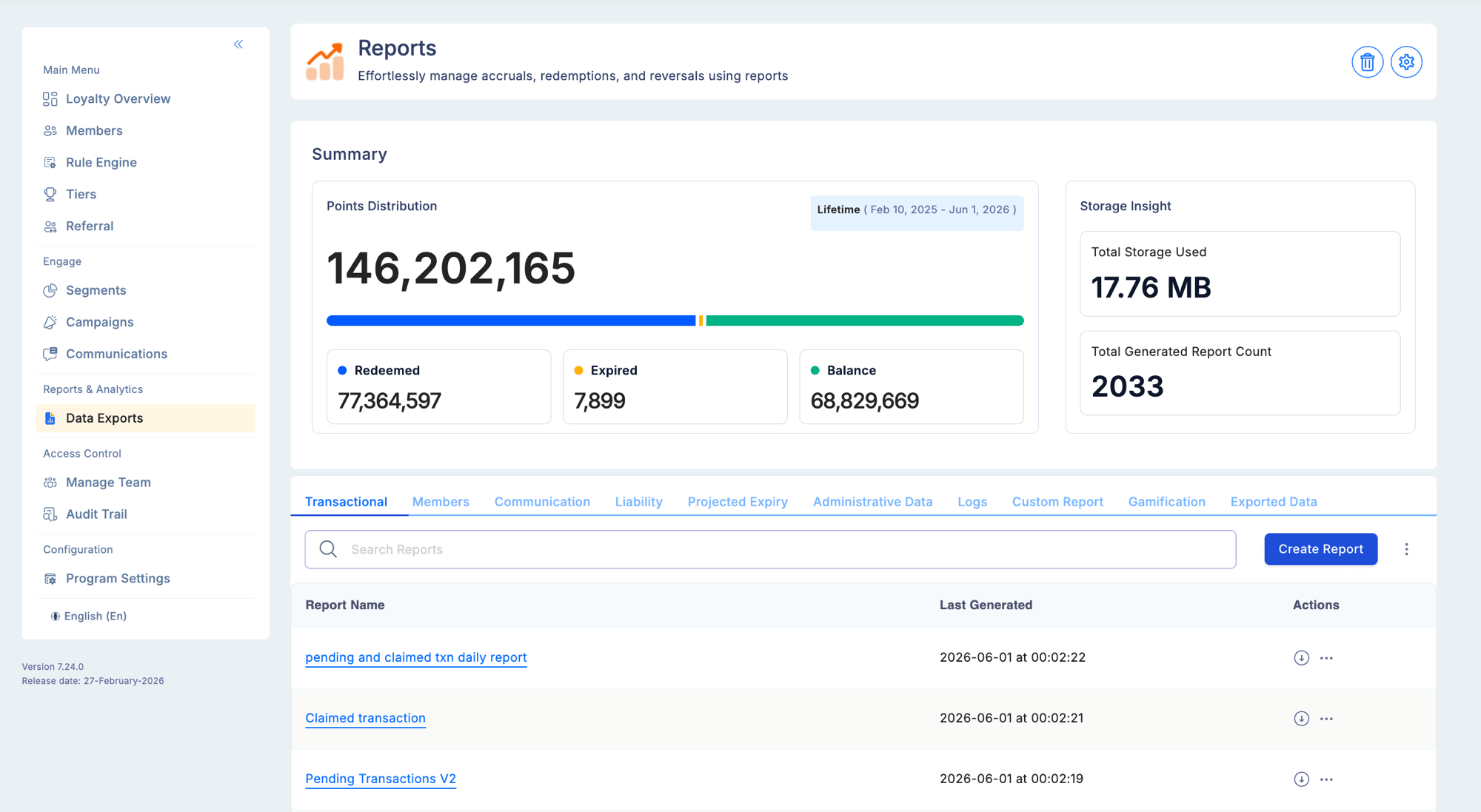
Select Reports & Analytics from the left sidebar. The module is organised into two areas:
| Area | Purpose |
|---|
| Data Exports | Generate, schedule, and download report files across all report categories |
| Dashboards | Real-time visual summaries of key program metrics |
Report categories
Reports are organised into eight categories, accessible as tabs under Data Exports:
| Category | What it covers |
|---|
| Transaction | Point accruals, redemptions, reversals — every earn and debit event |
| Member | Enrolment trends, balance snapshots, activity patterns |
| Communication | Email and SMS delivery, open rates, campaign engagement |
| Projected Expiry | Upcoming points expirations by month — for liability planning |
| Liability | Total outstanding unredeemed points — your current financial obligation |
| Administrative Data | Audit trail, user activity logs, configuration change history |
| Logs | File upload processing status, errors, and rejected records |
| Custom Reports | SQL-based reports with real-time preview and on-demand generation |
See Report types for a detailed breakdown of each category.
See Custom reports for SQL query reports, real-time preview, and custom date range generation.
What you can do
- View in real time — preview report data directly in the dashboard without downloading a file (available for standard and custom reports)
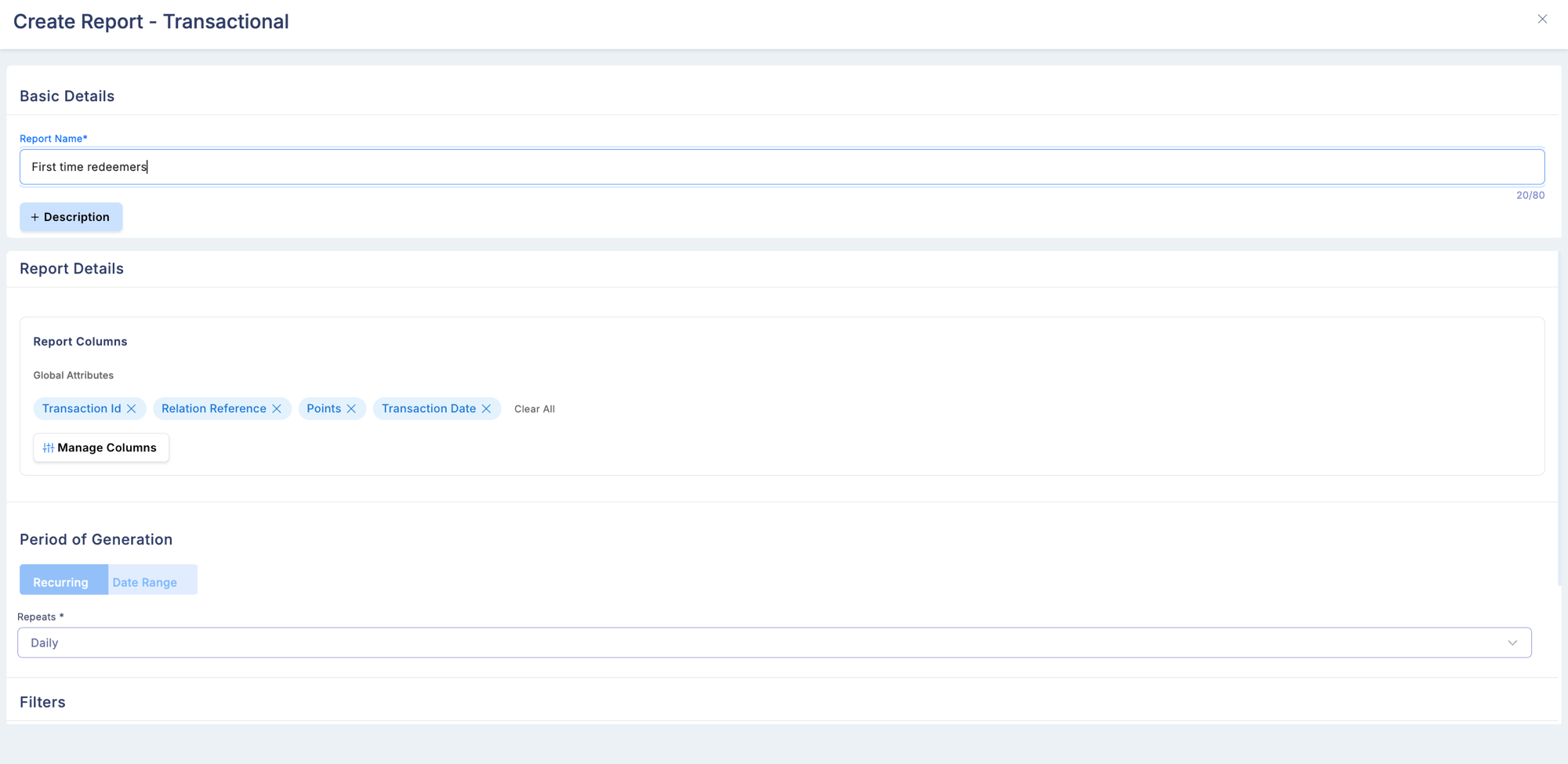
- Schedule exports — configure daily, weekly, or monthly automatic generation
- Download on demand — generate and download a report for any supported date range
- Configure columns — show only the columns relevant to your role; preferences persist across sessions
- Share reports — custom reports can be shared with specific users or roles
Dashboards
The Dashboards view provides visual summaries of program performance:
| Dashboard | Key metrics |
|---|
| Member dashboard | Total enrolled, active vs inactive, new enrolments trend |
| Transaction dashboard | Points issued, redeemed, expired — volume and trend charts |
| Engagement dashboard | Campaign participation rates, communication open rates |
Dashboards refresh automatically and do not require a manual download to stay current.
Column customisation
Every standard report table supports Configure Columns. You can:
- Add optional columns to the display
- Hide columns not relevant to your view
- Preferences are saved per user and persist across sessions
- Default (mandatory) columns cannot be removed
Scheduled reports
For recurring needs, configure a report to auto-generate:
| Schedule | Frequency |
|---|
| Daily | Generates every day |
| Weekly | Generates once per week |
| Monthly | Generates once per month |
Scheduled outputs appear in the report’s output list alongside any manual downloads, tagged by generation type.
Permissions
| Action | Required permission |
|---|
| View reports | View Reports |
| Download reports | Download Reports |
| Create custom reports | Create Custom Reports (Super Admin) |
| View audit trail | View Audit Trail |
| Export member PI data | PI Data Access (requires separate toggle in Advanced Configuration) |
Use Projected Expiry and Liability reports together for financial planning. Expiry reports show when points leave the ledger; Liability reports show your current total obligation. Together they give you a forward-looking view of redemption pressure.