
Accessing the dashboard
Navigate to Referral → Performance in the left sidebar.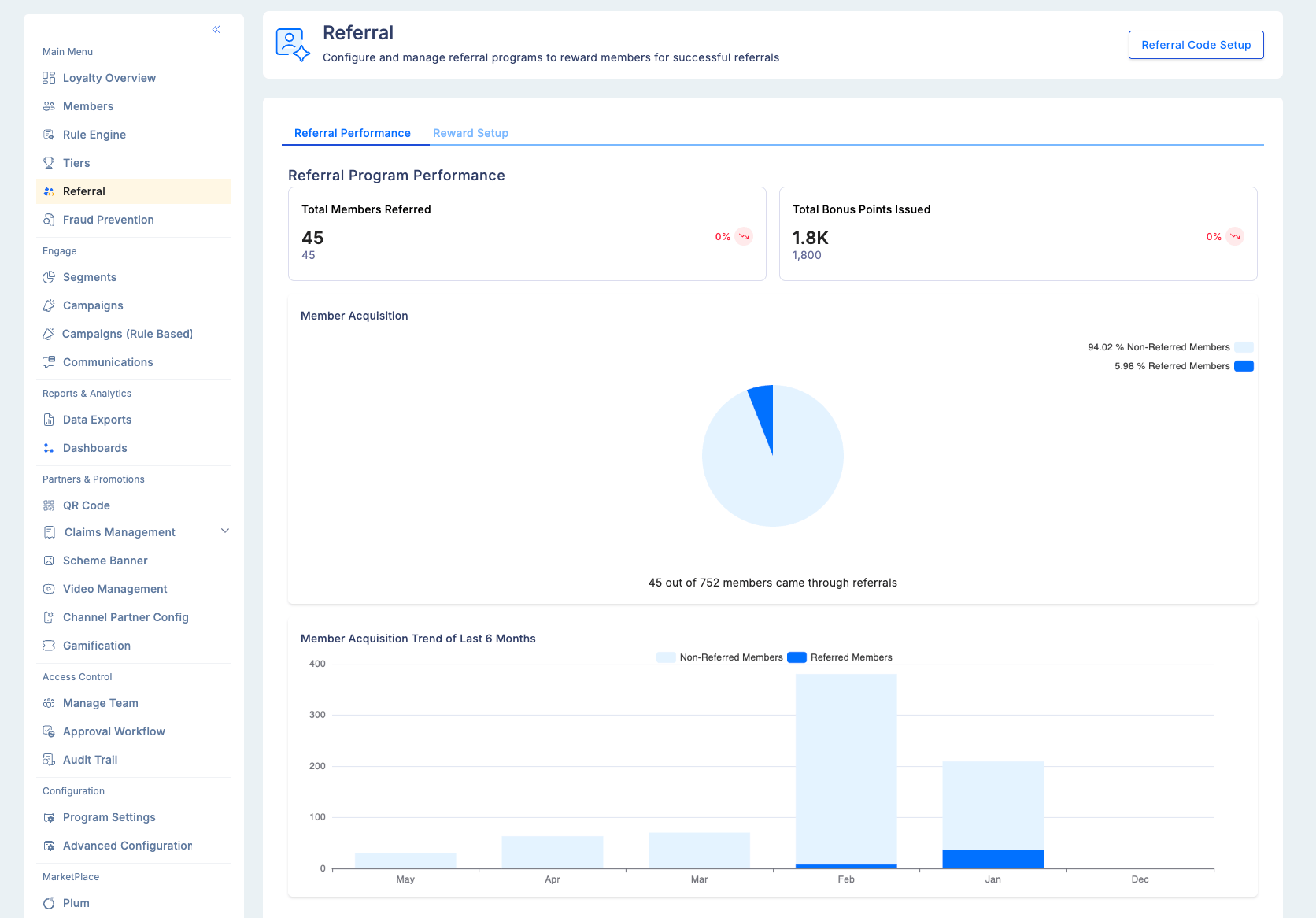
Summary metrics
The top of the dashboard shows two key program-level counters:Visualisations
Member acquisition breakdown
A pie chart showing the split between:- Members who joined through a referral code
- Members who enrolled through other channels (organic, direct, marketing)
6-month enrollment trend
A line chart tracking monthly enrollment for both:- Referred members (enrolled using a referral code)
- Non-referred members (other acquisition channels)
Spend comparison
Compares the behaviour of referred vs. non-referred members across two dimensions, calculated using the previous three months of activity:
This is the most important metric for evaluating referral program ROI. If referred members spend significantly more on average, increasing your referrer reward to accelerate acquisition will have a positive return. If there is no spend difference, the issue may be in your onboarding flow for new members rather than in the referral incentive itself.
Top referrers table
A ranked table of your most successful referrers: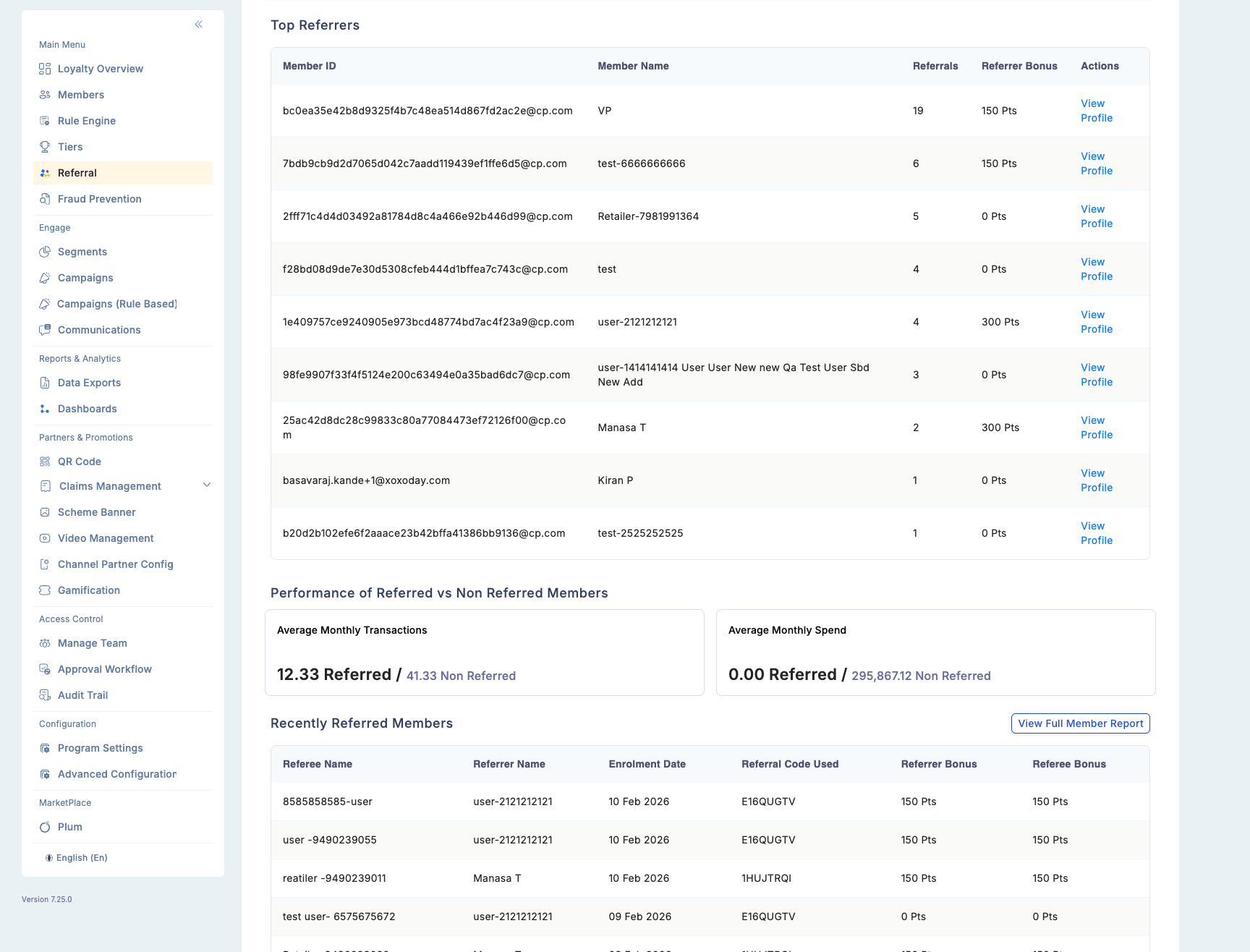
Use this table to identify your most valuable program advocates. Consider giving top referrers additional recognition or incentives to maintain their activity.
Recent referrals list
Displays the 10 most recently acquired referred members with enrollment date and referring member ID. The full list is paginated and can be downloaded for further analysis.Referral history (member level)
In addition to the program-level dashboard, each member’s individual referral history is accessible from their member profile. The history shows:- Which friends they successfully referred
- The date of each referral
- Points earned per referral
Troubleshooting
Dashboard metrics are not updating.- The dashboard refreshes in real time for new referral events. If recent referrals are not appearing, check that the reward trigger condition (activation or first transaction) has been met for those referrals.
- Top referrers are ranked by completed (reward-triggered) referrals, not by referral code shares. Verify that the referred member completed the required trigger action.
- Check the referral cap settings — if a member has hit their monthly or lifetime cap, additional referrals may not have triggered rewards.