
Accessing advanced configuration
Navigate to Configuration → Advanced Configuration → Technical Settings.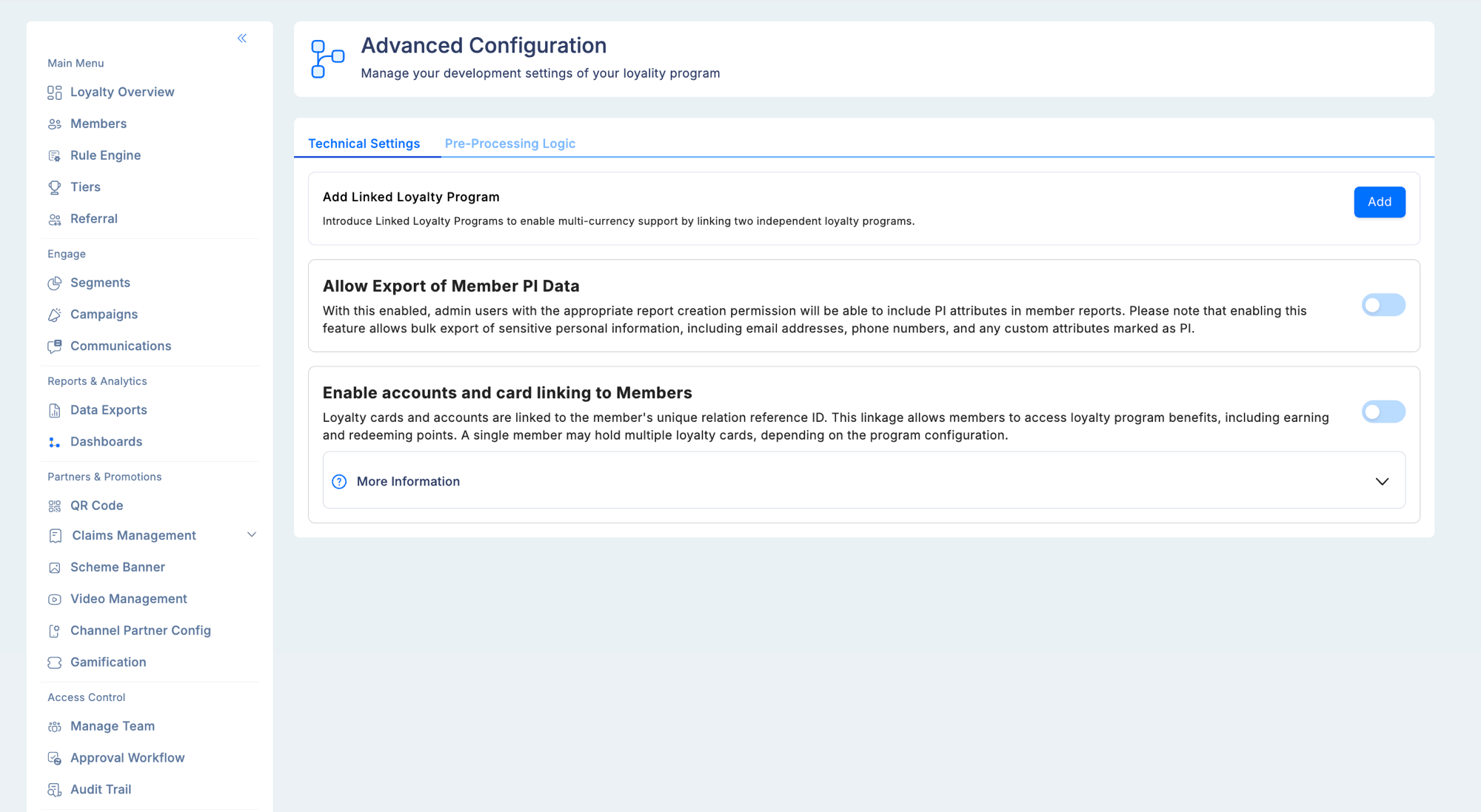
Member PI data export
This toggle controls whether personally identifiable information (PII) can be included in member report exports. What counts as PI data:- Email addresses
- Phone numbers
- National identity numbers
- Any custom member attributes that were flagged as PI during attribute creation
Enabling PI data export
Toggle the setting on in Technical Settings and confirm when prompted. After enabling, administrators with the PI Data Access permission can include PI fields in member exports. The Export Linked Accounts & Cards option also becomes available with this permission.Customer relational data (CRD) — card and account linking
CRD refers to external account or card information that can be associated with member profiles. This is used in programs where loyalty is tied to a financial product — for example, a credit card loyalty program where the card number is linked to the member’s loyalty profile. CRD fields available when enabled:Enabling CRD visibility
- Go to Advanced Configuration → Technical Settings.
- Locate the Enable accounts and card linking to members toggle.
- Enable it and confirm your selection.
- The View Linked Cards & Accounts button becomes visible on member profiles (for users with the appropriate permission)
- The CRD search option appears on the Members list, allowing admins to find members by card or account number
- The Export Linked Accounts & Cards option appears in the member export menu (requires PI data access permission as well)
Exporting CRD data
Exporting CRD reports requires both:- PI data access permission in the user’s role
- Report creation capability in the user’s role
CRD export files contain sensitive financial identifiers. Apply the same data handling and storage controls as for other PII exports — encrypted storage, access logging, and retention limits per your data protection policy.
Pre-processing logic
The Pre-Processing Logic tab lets you deploy a custom script that transforms incoming data before the loyalty engine processes it. This is for programs that receive transaction files in non-standard formats or need field remapping before rule evaluation.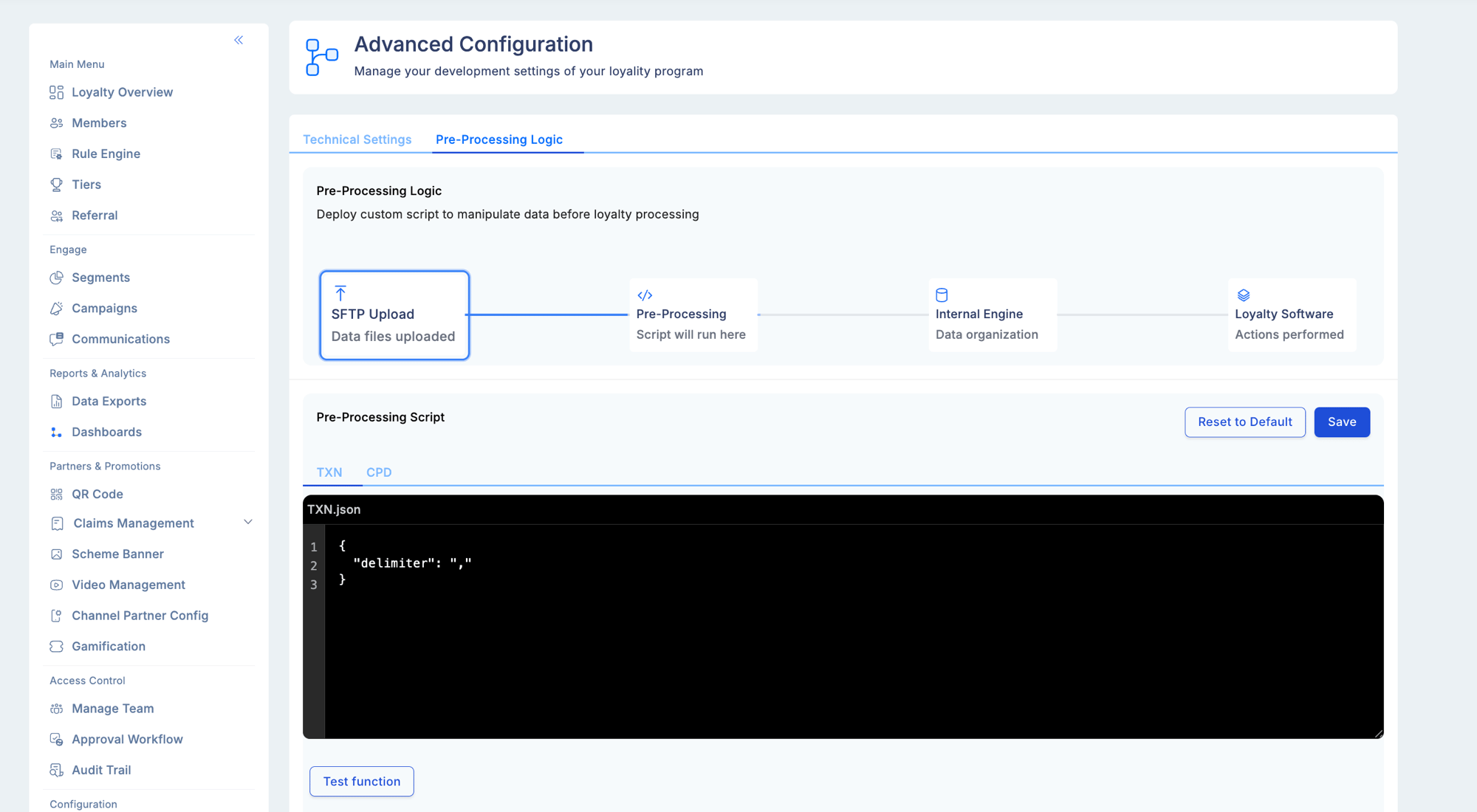
Troubleshooting
The “View Linked Cards & Accounts” button is not visible on member profiles.- Confirm the CRD linking toggle is enabled in Advanced Configuration.
- Verify the viewing user has the CRD visibility permission in their role.
- CRD search requires the CRD linking toggle to be enabled in Advanced Configuration.
- Check that the exporting user’s role includes the PI Data Access permission.
- Verify that the specific fields you expect to see were marked as PI attributes during attribute creation.