Members are the end consumers who earn and redeem points in your loyalty program. Loyalife gives administrators a unified view of every member — from their profile and linked accounts to their full transaction history and current tier standing.
What is a member?
A member is any individual enrolled in the loyalty program. Membership can be created:
- Via API (your application calls the Create Member API at sign-up or onboarding)
- Via file upload (bulk CSV import for existing customer bases)
- Via the partner app (channel partners onboard retailers or customers directly; subject to approval if the Maker-Checker workflow is enabled)
Once created, a member receives a unique Relation Reference (the program’s own member identifier — CIF number, account number, or equivalent) that never changes and is used across all queries, reports, and reconciliations.
Accessing the Members module
Select Members from the left sidebar. The members list shows:
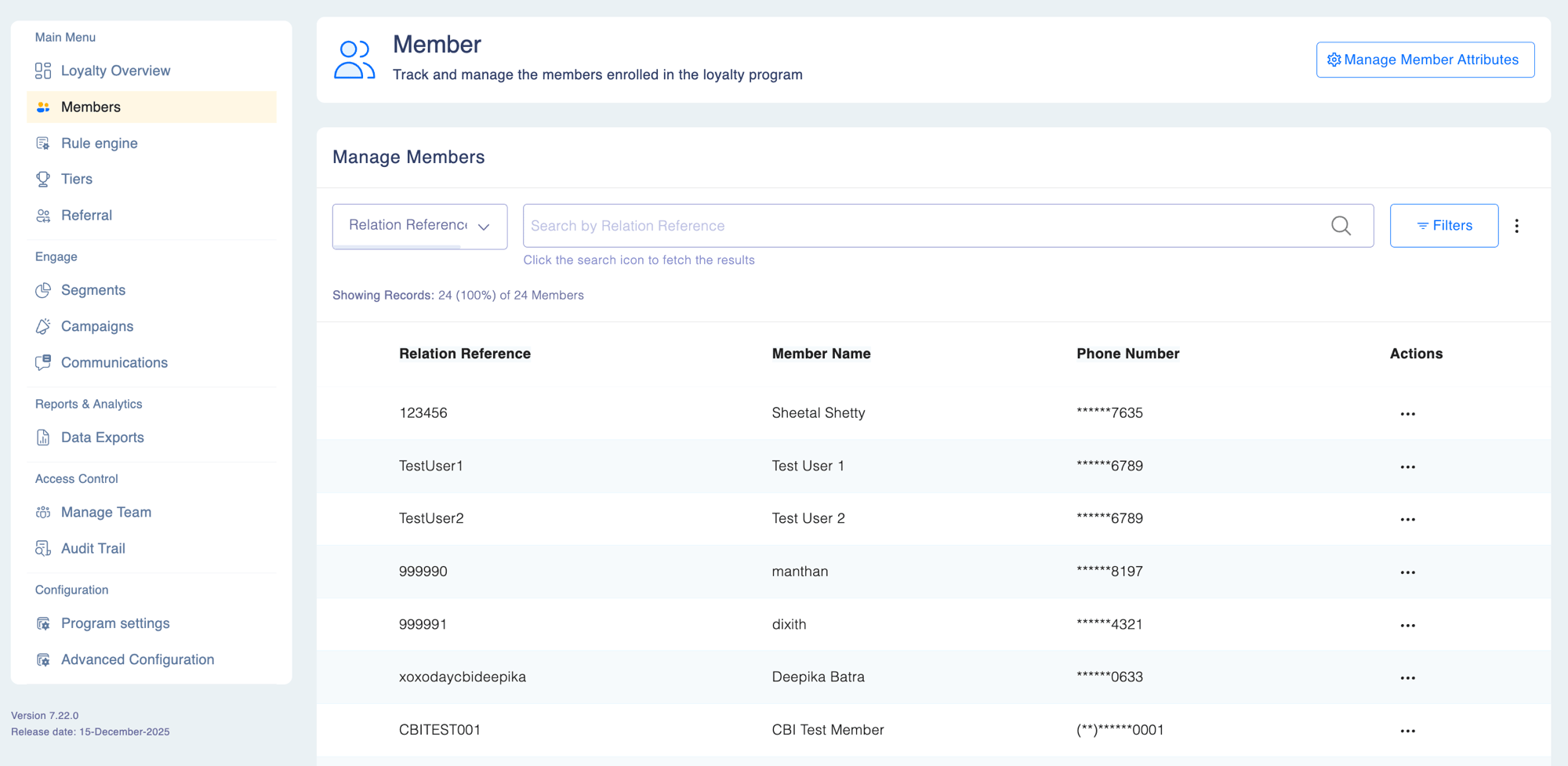
| Column | Description |
|---|
| Relation Reference | Your program’s unique member identifier (CIF, account number, etc.) |
| Name | Member’s full name |
| Phone number | Registered contact number |
| Tier | Current tier level |
| Status | Account status badge |
Use the search bar to find members by Relation Reference, name, phone, email, or card number. Use filters to narrow by status, tier, or registration date.
Member identifiers
Every member has a Relation Reference plus up to two product-linked identifiers:
| Identifier | Used for |
|---|
| Card Number | Credit card, debit card, or loyalty card products |
| Sub-relation Identifier | Deposit accounts, loans, sub-accounts, or other financial products |
Identifier rules
| Rule | Detail |
|---|
| Minimum required | At least one of Card Number or Sub-relation Identifier must be supplied at creation |
| Zero value | 0 is acceptable in one field only — not both simultaneously |
| Duplicate values | The same value can appear across different members, but not twice on the same member |
| Updates | Card Number and Sub-relation Identifier cannot be changed after creation; all other fields can be updated |
These rules apply to both API calls and file-based member imports.
Member statuses
| Status | Meaning | Loyalty API access | Redemption |
|---|
| Active | Member is in good standing | Full access | Allowed |
| Inactive | Member has not engaged for a configured period | Read-only access (balance, history, profile) | Blocked |
| Suspended | Temporarily restricted by an admin action | Limited | Blocked |
| Blocked | Locked after suspicious activity or repeated failed logins | Blocked | Blocked |
| Cancelled | Removed from the program | None | Blocked |
Inactive members can still query their points balance, view transaction history, and access profile details via API. Redemption is blocked until the member becomes active again. This ensures members retain visibility of their account even during inactive periods.
What you can do
From the Members module you can:
- Search, filter, and export members — find specific members or build segments for export
- View member details — access a full profile including transaction history, linked accounts, and tier status
- Perform bulk point adjustments via CSV upload
- View and export linked accounts and card data
Permissions
| Action | Required permission |
|---|
| View member list | View Members |
| View member details | View Members |
| Edit member profile | Edit Members |
| Adjust points | Adjust Points |
| Export member data | Export Members |
Actions such as suspending, blocking, or cancelling a member may require Maker-Checker approval depending on your program’s configuration. Changes submitted without approval appear in the Approval Workflow queue until a checker acts on them.