
Overview
A scheme banner does not replace a rule; it wraps it. When a scheme banner is configured on a rule, the rule only fires when all three conditions are met: the transaction occurs within the validity window, the transaction involves an eligible SKU, and the partner meets any criteria specified in the terms.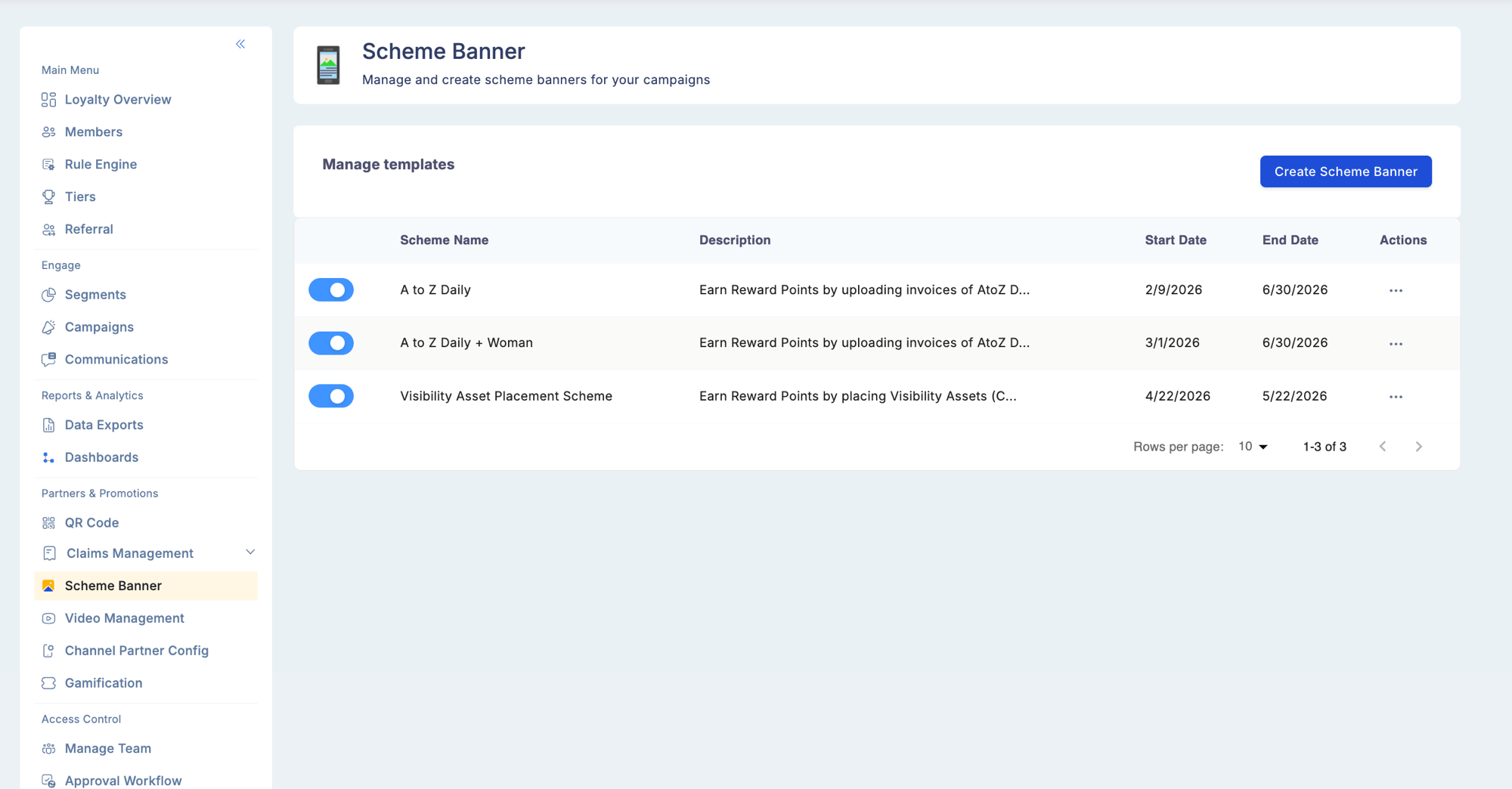
Configuring a scheme banner
1
Navigate to Scheme Banner
Go to Partners & Promotions > Scheme Banner. Select an existing scheme to edit or create a new one.
2
Set the validity period
Enter a Start Date and an End Date for the promotion. Points accrue only on transactions that occur within this window (inclusive of both dates).
3
Define eligible SKUs
Add the SKU codes or product categories that qualify for this scheme. You can enter SKUs individually, select from the product catalog, or upload a list in bulk. Only transactions that include at least one eligible SKU will trigger the reward.
4
Add terms and conditions
Enter the policy text for this scheme in the Terms & Conditions field. This is free text and is displayed to partners in the mobile app alongside the scheme details.
5
Save
Save the scheme banner. It becomes active at the configured start date without any further manual steps.
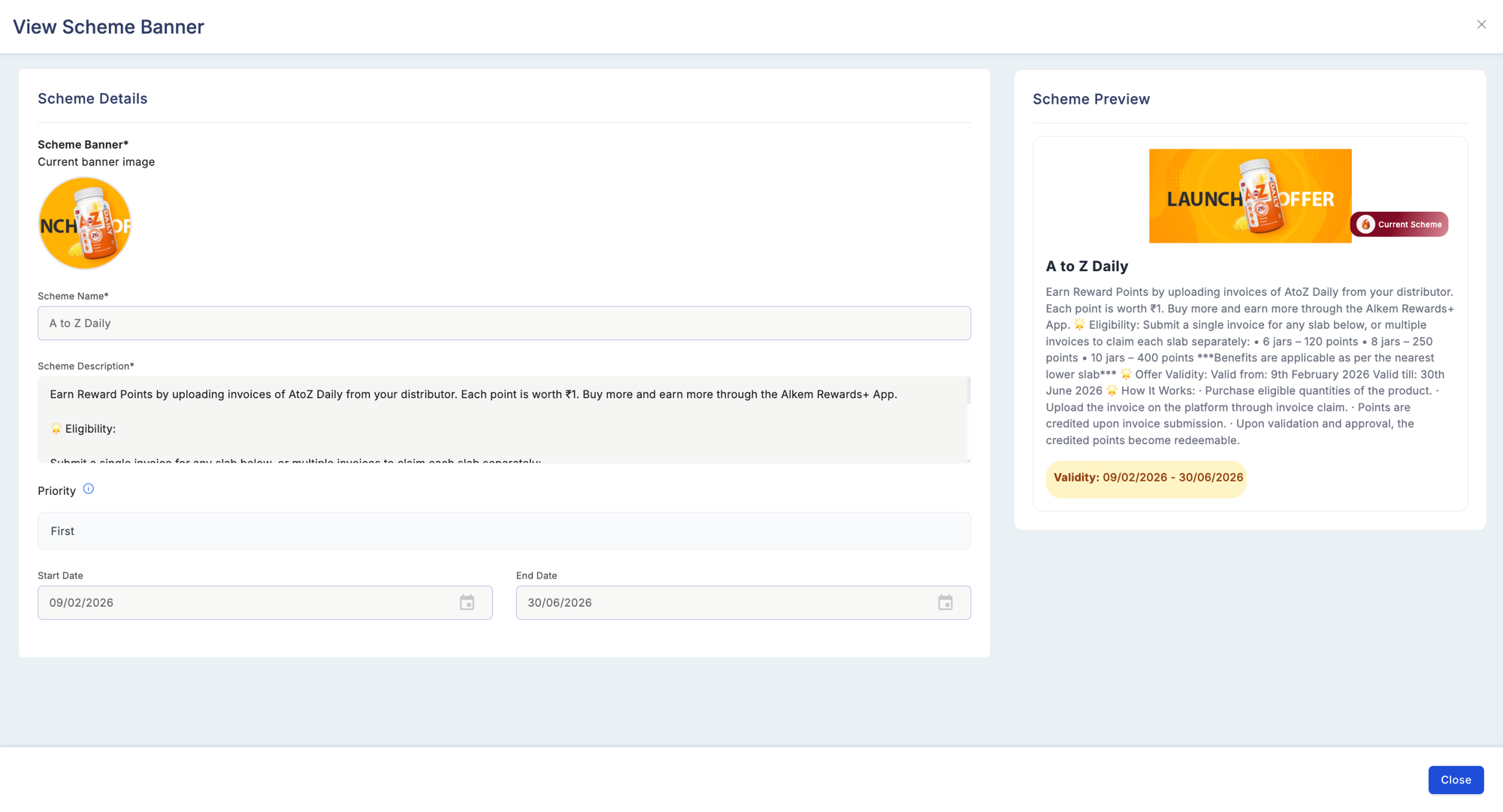
Validity period
Common use cases for validity periods:
- Quarter-based distributor boosts (for example, July 1 to September 30)
- Seasonal or festival promotions
- Alignment with fiscal or promotional calendars
If you need to edit the start date after a scheme has already become active, contact your program administrator. Changing a start date retroactively may affect points already earned under the scheme.
Eligible SKUs
Only transactions that include at least one eligible SKU trigger the rule. Transactions that contain only non-eligible SKUs do not earn points for this scheme, even if the partner and dates are valid.
Common use cases for SKU filters:
- Driving sell-through on newer or overstocked products
- Focusing rewards on premium or high-margin items
- Applying different reward rates per partner tier by creating separate schemes with different SKU lists
Terms and conditions
The terms and conditions field accepts free text. Use it to communicate:- Point reversal policy if a purchase is returned
- Geographic eligibility restrictions
- Non-combinability with other schemes or promotions
- Regional legal requirements or disclaimers
Example campaign configuration
The following is an example of a complete scheme banner configuration.
Result: a Tier A channel partner who sells one unit of SKU#12345 on August 15 earns 15 points. The same partner selling a non-eligible SKU on the same date earns nothing under this scheme (other rules may still apply).
Scheme Banner configuration requires the Manage Scheme Banners permission.